ISP Motion Control:
PLC automation made easy!
Automate your production systems easily and efficiently with the ISP Motion Control software. Versatile for automation, worker guidance, set-up instructions and more.
With the user-friendly interface, even inexperienced users can programme the system independently.
You no longer need a PLC technician. Keep control of what your system should do yourself.
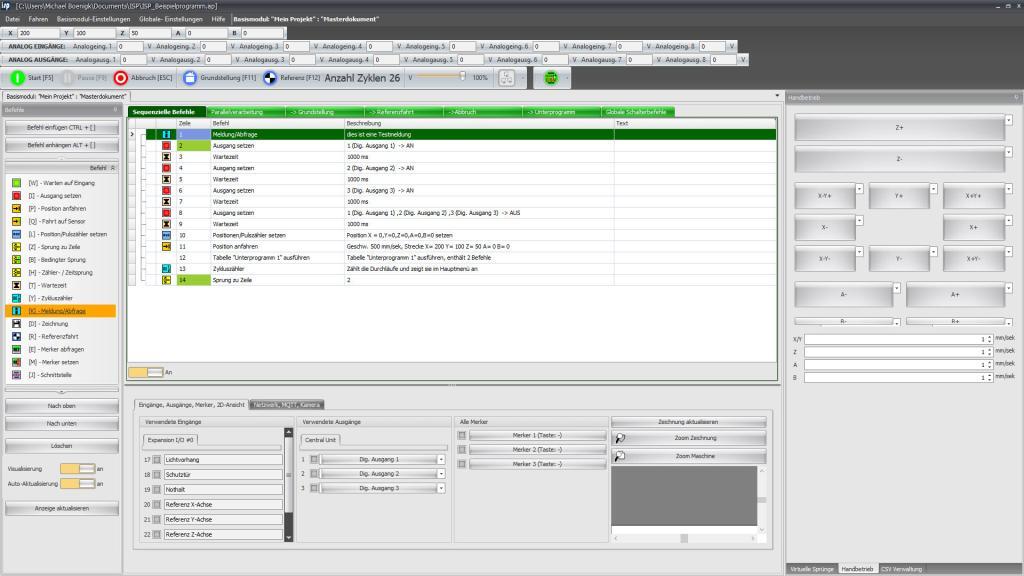
Why is ISP Motion Control superior to traditional PLC automation?
Overview: The most important advantages
The efficiency of table-based programming
The intuitive tables make it easy to enter and arrange the desired commands.
In addition to the main „Sequential commands“ table, the ISP Motion Control software offers further tables such as „Cancel“, „Home position“ or „Parallel processing“.
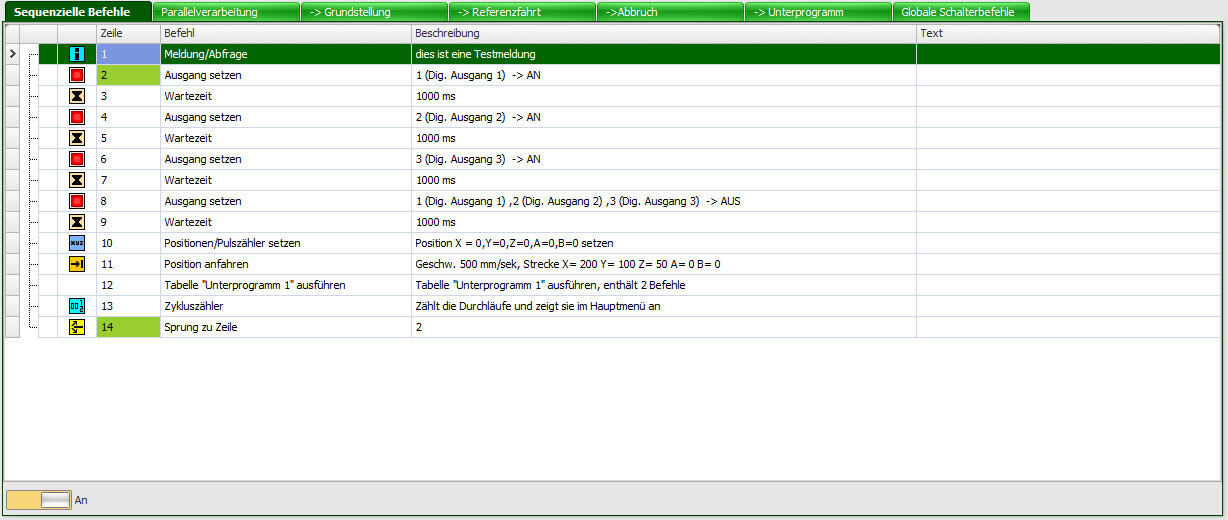
The „Subprogram“ table makes programming easier for you by allowing you to organise recurring actions in separate tables. You can call up your sub-programmes in the main table and thus maintain an overview even with large projects.
Wide range of commands for system programming
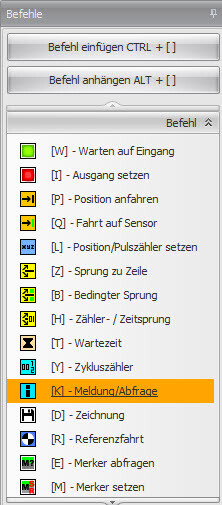
Whether setting outputs, moving to specific positions, waiting for input signals or jumping to a specific line - the ISP Motion Control software offers you a comprehensive range of functions and enables you to programme your system according to your individual requirements.
Visualisation, logging and monitoring
As the program sequence is visualised in contrast to normal PLC automation, you have an overview of the current actions at all times. The logging function records and saves important events and data that are required for later analyses or further processing by other programs. The monitoring function allows you to keep an eye on the status of your systems in real time.
CSV interface and customised user interface
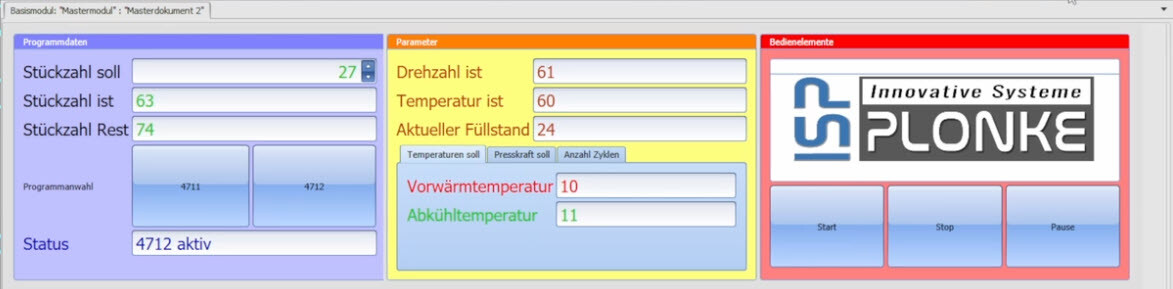
Thanks to the CSV interface, you can import CSV data from other systems into ISP Motion Control. The integrated designer also allows you to create your own user-friendly masks to make operating the system easier, as the table is no longer visible to the operator.
Emulator, MQTT client and e-mail communication
The emulator allows you to test your project before running it on the real machine. This gives you the opportunity to identify errors and make adjustments before implementing the project. In addition
the emulator can be combined with real CNC controllers, which opens up new possibilities for you.
The network communication in ISP Motion Control includes an integrated MQTT client. This allows you to carry out communication between external devices and exchange data.
With e-mail communication, you can send e-mail messages directly from your project. This allows you to send automatic notifications or reports to relevant people.
Import and edit DXF drawings -
Simplify complex paths
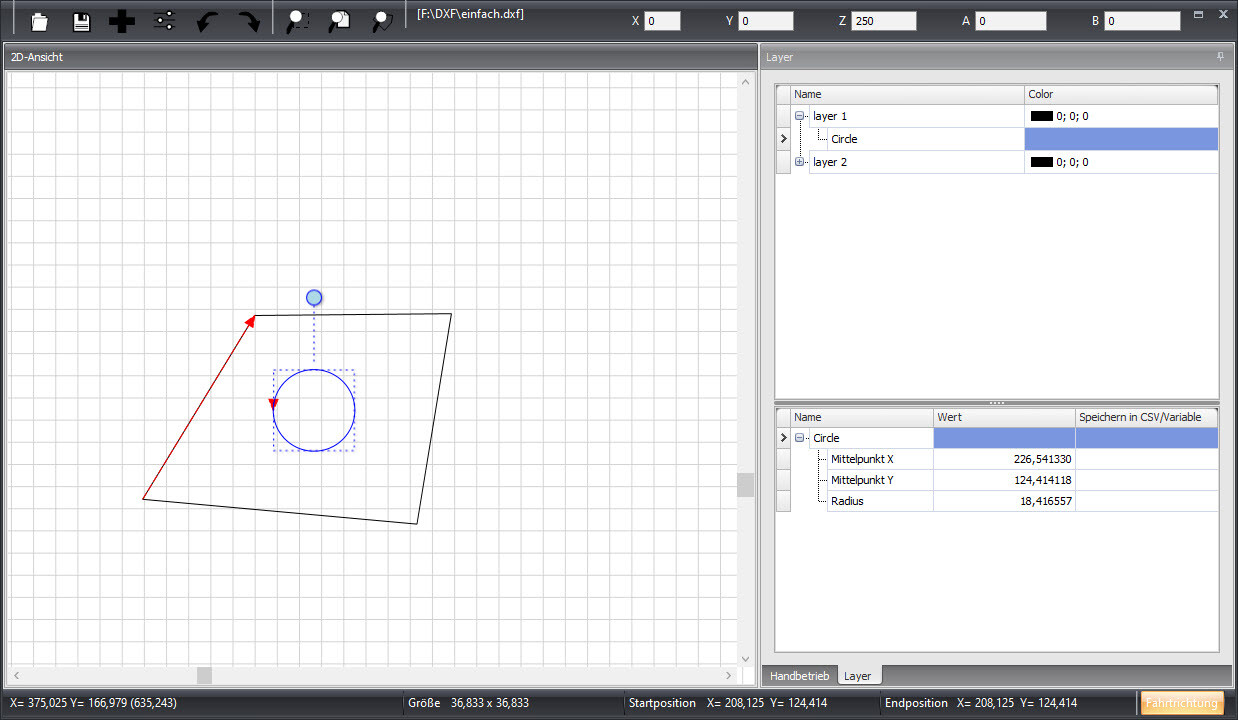
With ISP Motion Control, you have the option of importing DXF drawings, editing them and embedding them in your project. Compared to conventional PLC automation, this allows you to easily draw complex paths instead of having to programme them manually in the table. In addition, you can link individual coordinates of the drawing with CSV or variables in order to edit them further. By using CSV or variables, you can change and adapt the paths dynamically.
ISP Motion Control: Your complete solution
for advanced automation
In summary, ISP Motion Control offers a comprehensive and user-friendly solution for all your automation needs. Whether you are a beginner or a professional in automation technology, this software ensures that you have full control over your production equipment.
With its wide range of functions, user-friendly interface and continuous development, ISP Motion Control is your first choice when it comes to modern and efficient automation. We invite you to experience this advanced technology for yourself. Contact us today to arrange a demonstration or for more information. Rely on ISP Automation to take your production processes to the next level.
If you have any further questions, please contact ISP Automation.
Contact us by e-mail at info@isp-automation.de.

System requirements
- Operating system: Windows 10/11 (64-bit version)
- RAM: 4 GB (recommended for processing large files > 4 GB)
- Connections: USB 2.0 (compatible with USB 3.0), optional Ethernet (LAN)
- Control electronics and controller: smc5d-m4 pro