cncGraF 8: What's new?
Discover the latest features!
In this overview, we present the most important and exciting new features of the cncGraF 8 software. The new version offers improved operating elements, personalised adaptations, extended G-code functions and precision-enhancing features to make your CNC machining more efficient and user-friendly.
Let us convince you of the numerous advantages that our latest software version offers you and your company. Discover how cncGraF 8 can increase your productivity and quality in manufacturing and find out how this powerful solution is revolutionising CNC control.
The most important innovations at a glance
Optimised user interface for intuitive operation
cncGraF 8 is the new, revolutionary version of our software that takes the operation of CNC machines to a new level. With the completely redesigned interface, which is now touch-enabled and optimised for high screen resolutions, we offer our users an unprecedented user experience.
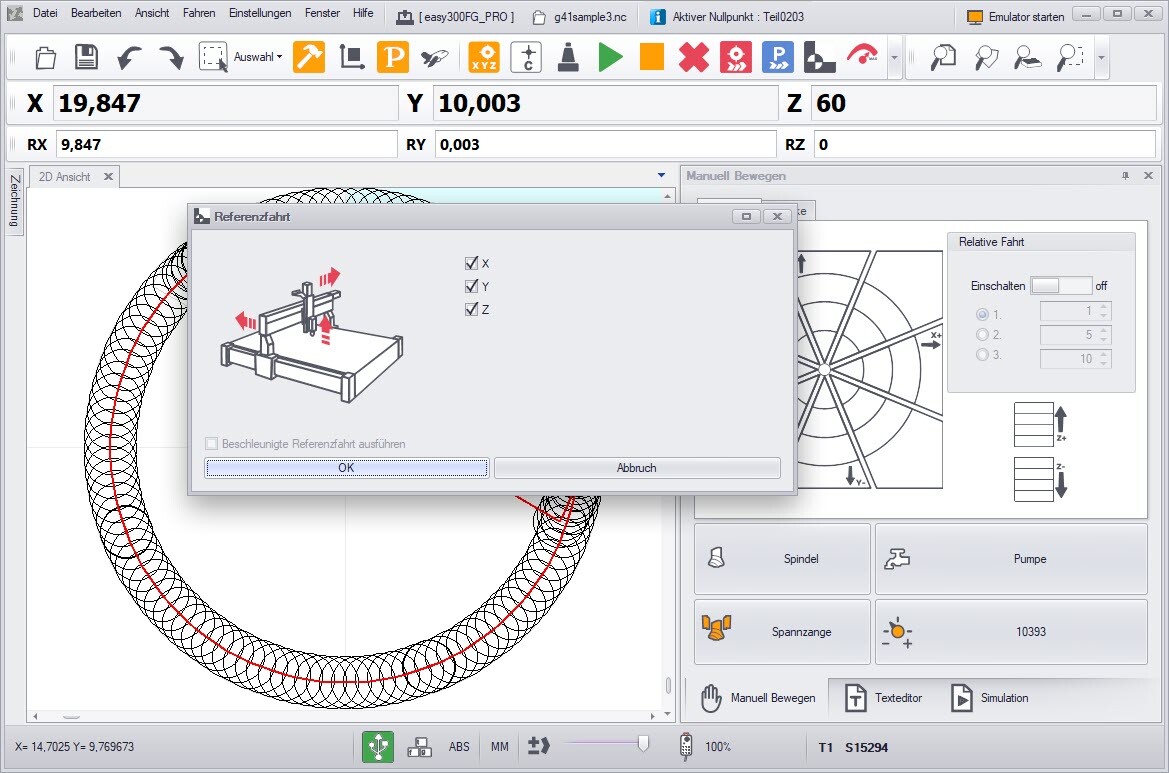
Thanks to the reduced number of icons, the interface is more clearly organised and offers a clear, modern design. This means that operation is more intuitive and simpler, which makes both familiarisation and day-to-day work on CNC machines easier. This is particularly helpful for beginners in the CNC field who want to familiarise themselves quickly with the subject matter.
Overall, cncGraF 8 offers a powerful and user-friendly solution for the control of CNC machines. With the new version, we are confident that we will exceed the expectations of our users and look forward to supporting our customers in the realisation of their projects.
3D probe for greater precision and productivity

With the new version of our CNC software, we now also offer comprehensive support for 3D probes. The new toolbar contains around 10 different 3D probe functions that are specially tailored to the needs of CNC users.
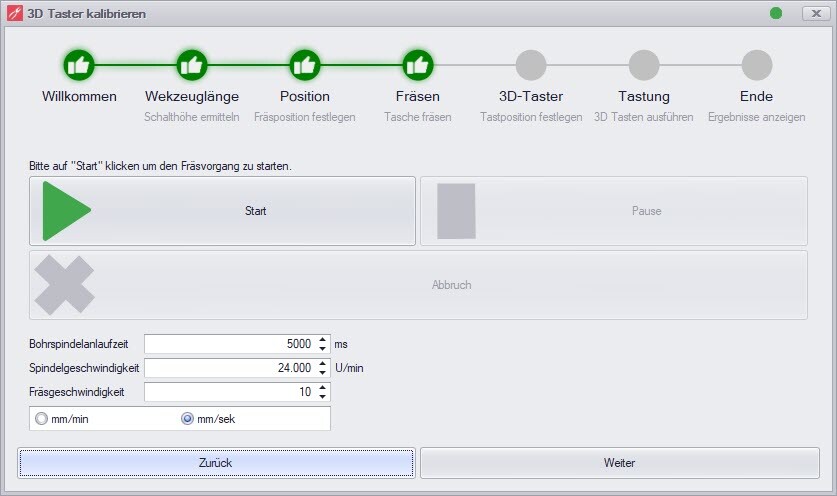
Calibration function of the 3D probe
With our new 3D probe calibration wizard, calibrating the probe is child's play. The wizard automatically determines the deviations of the 3D probe in X+/X-, Y+/Y- and Z in order to take them into account later during edge measurements. This makes the 3D probe even more accurate and delivers more reliable results.
3D button functions
This new calibration function also includes a range of new 3D probe functions. With these functions, you can, for example, scan edges, determine the centre of the circle inside/outside, determine the zero point Z and much more.
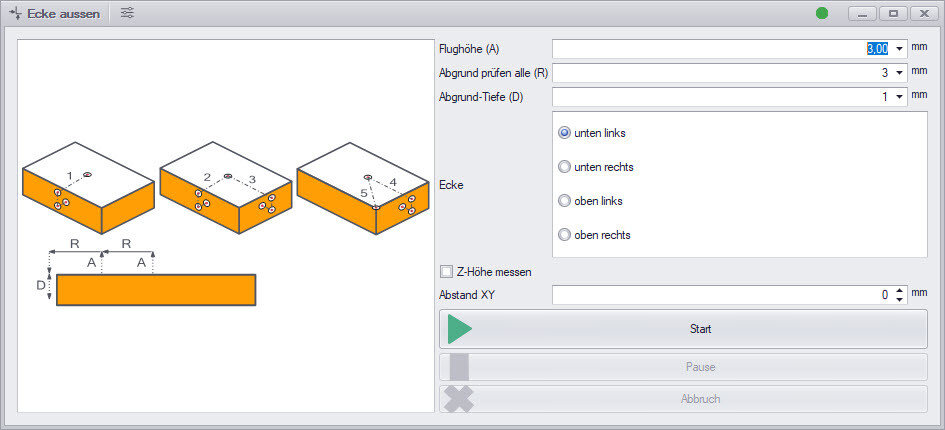
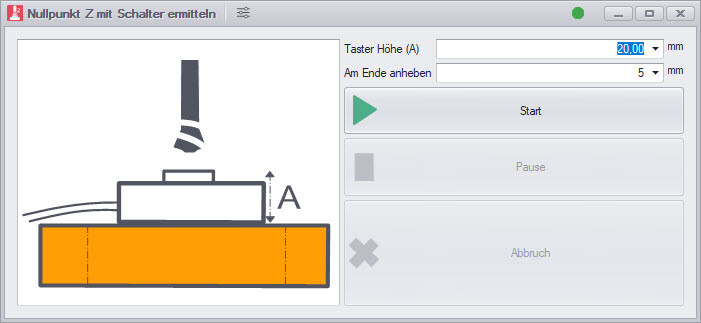
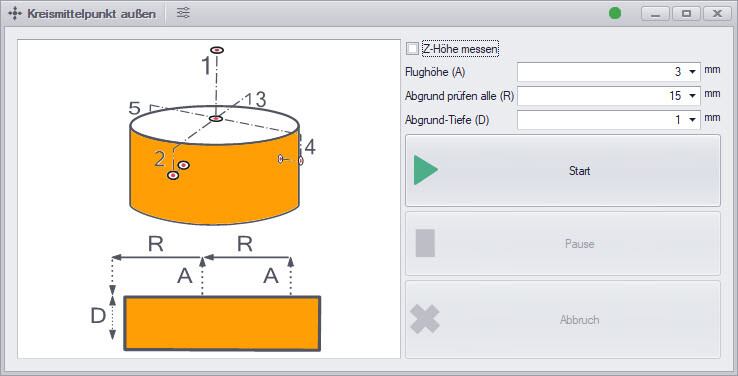
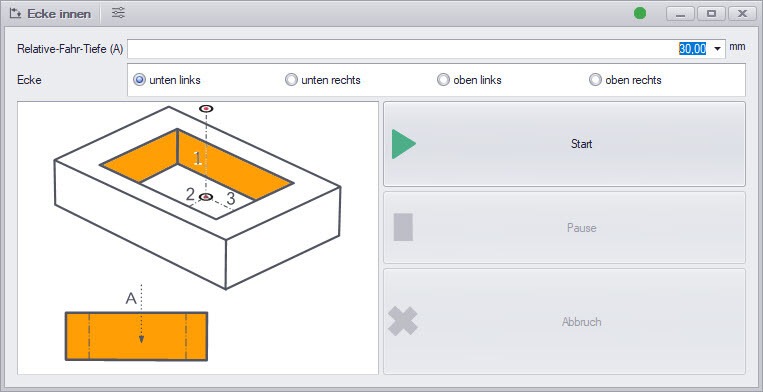
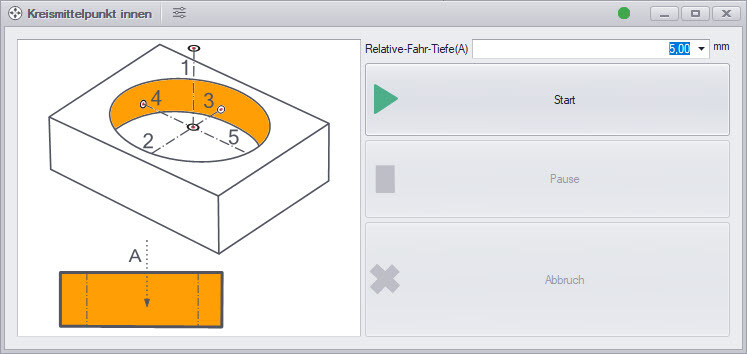
Multiple measurements for greater precision
Another advanced function of the cncGraF 8 enables measurement processes to be carried out several times, such as recording tool lengths or scanning edges using 3D probes. Repeated measurements and the subsequent aggregation of the measurement results ensure greater accuracy.
Another advantage of the new function is the integrated error detection. If a measured value deviates too much, the software automatically issues an error message and cancels the process.
Customisation of the „Move manually“ dialogue
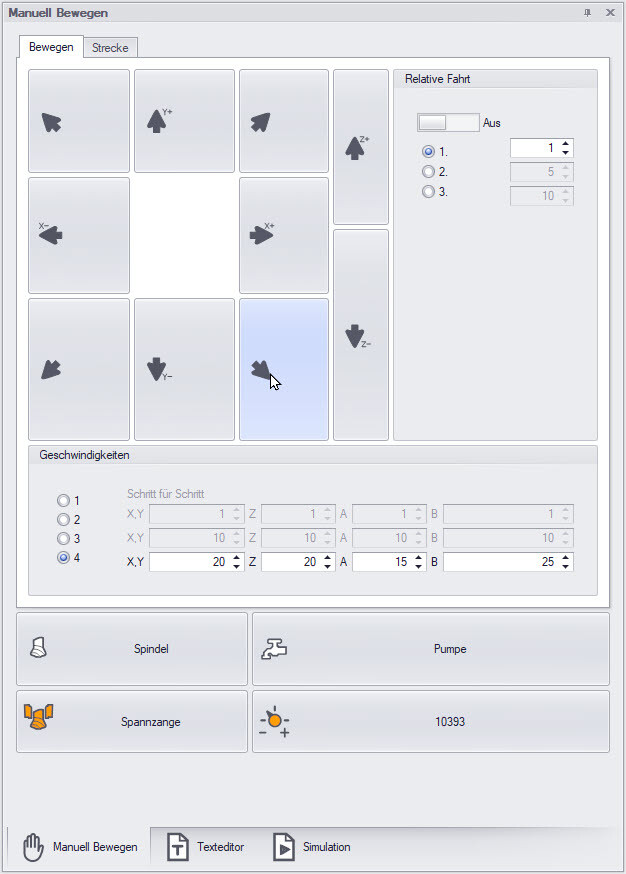
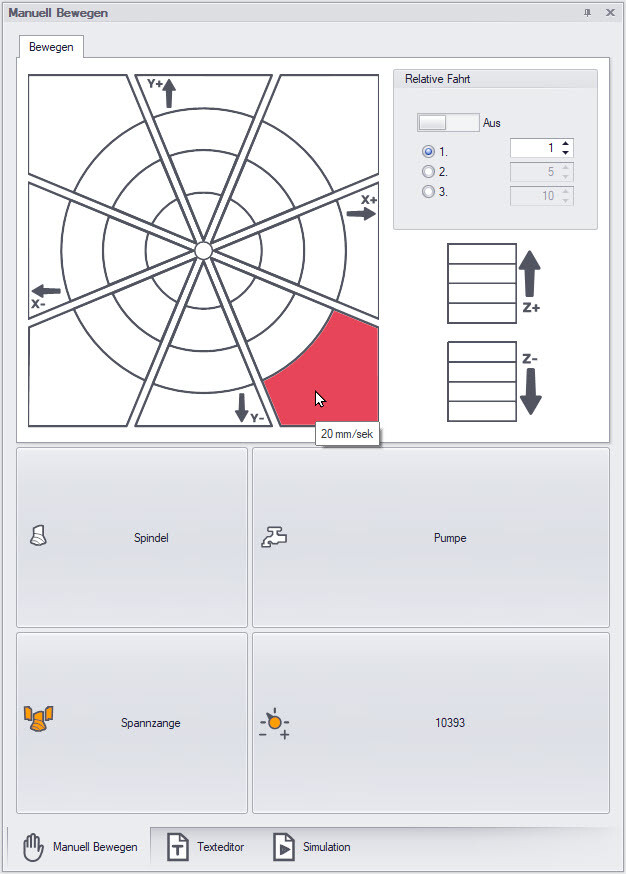
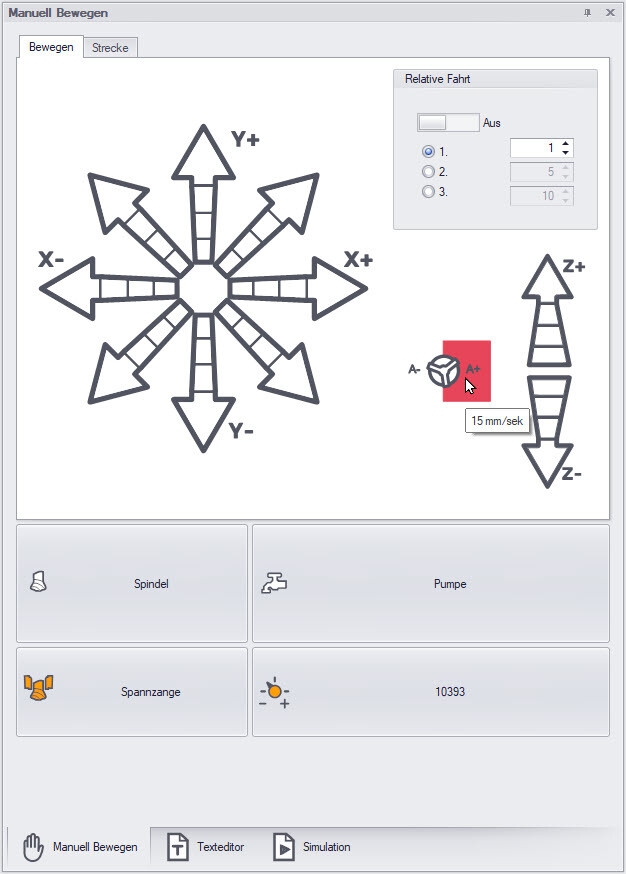
The ‚Move manually‘ dialogue has been completely redeveloped and has a new design. Thanks to the built-in templates and the ‚Edit layer‘ function, it is now possible to customise the entire ‚Move manually‘ window and adapt it for your own purposes. The built-in templates help with customisation and make it easier to create individual layouts.
Spindle warm-up: Increase the service life of your spindle
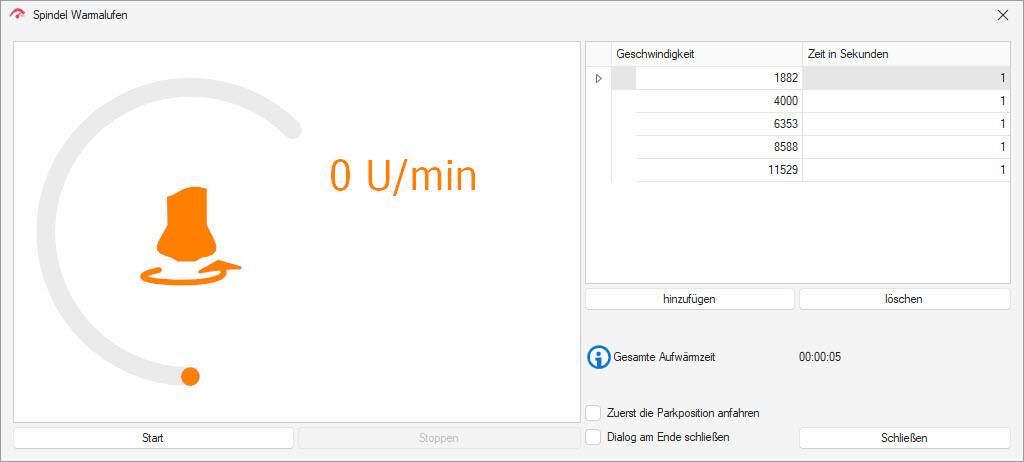
Targeted warming up of the spindle before the actual machining process increases the service life of the spindle and improves precision.
Extended G-code functionality:
IF instructions and R parameters for more flexibility
The enhanced G-code functionality in our CNC control software now offers IF instructions and R parameters for improved programming and flexibility.
With the IF statements, conditions can be checked and commands can only be executed if these conditions are met, allowing customisation to individual processing scenarios. The R parameters provide the ability to perform mathematical calculations directly in your G-code, supporting basic arithmetic operations. These new features make it easier to create customisable CNC programs for more efficient manufacturing.
Tool palette: Simple editing of DXF files
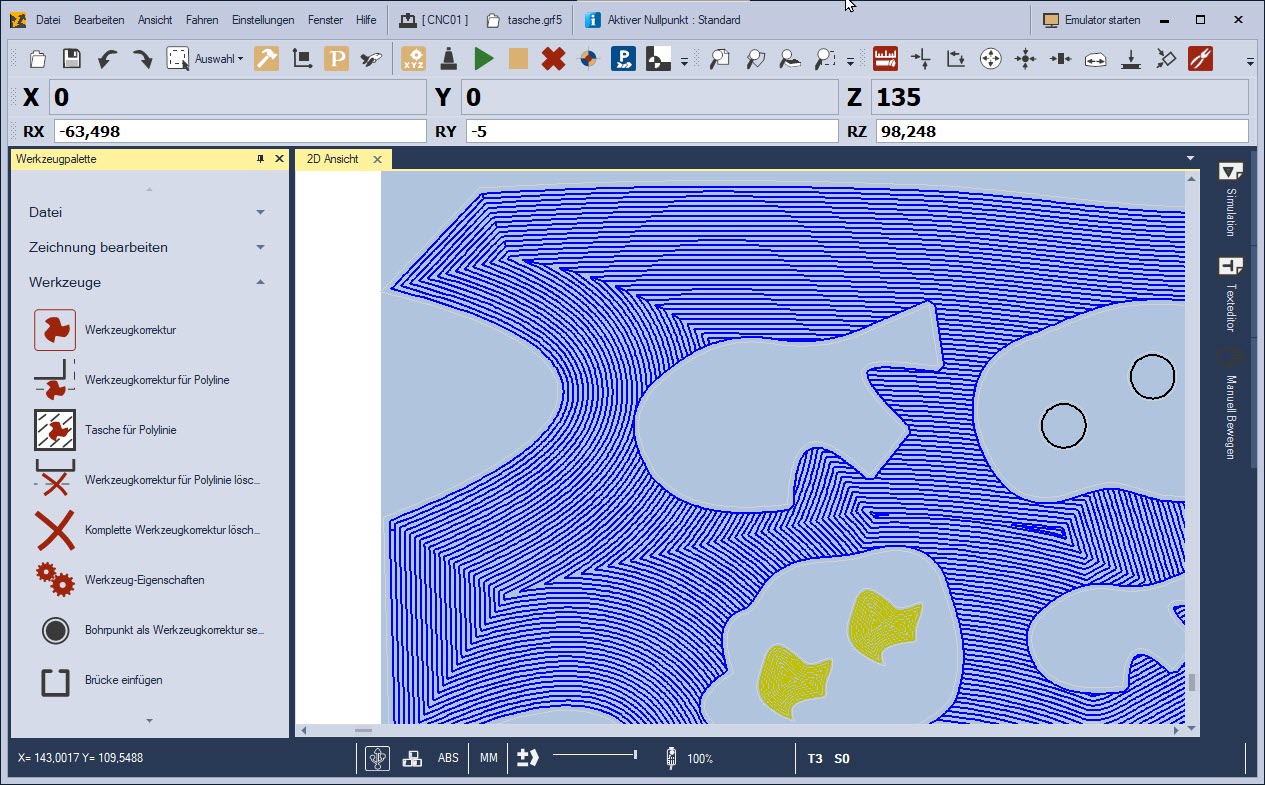
The tool palette offers straightforward editing of 2D files such as DXF, including tool corrections and the definition of milling sequences. A highlight of the tool palette is the intuitive function for setting pockets with islands, which enables users to master complex milling tasks with ease.
Further functions
- The software now enables the control of up to 6 axles.
- The Angle unit enables precise bevelled or inclined cuts to be made.
- Display of additional information such as Live speed, Milling run time and one Stopwatch.
- Control of the machine with Microsoft Xbox Gamepad.
 Laser cutting.
- TCP server/client and Modbus TCP client communication.
- and much more.
cncGraF 8: System requirements
- Operating system: Windows 10/11 (64-bit version)
- RAM: 4 GB (recommended for processing large files > 4 GB)
- Connections: USB 2.0 (compatible with USB 3.0), optional Ethernet (LAN)
- Control electronics and controller: smc5d-p32 or smc5d-m4